How to add conditional elements to visitor badge
-
Go to settings on lobbytrack.com
-
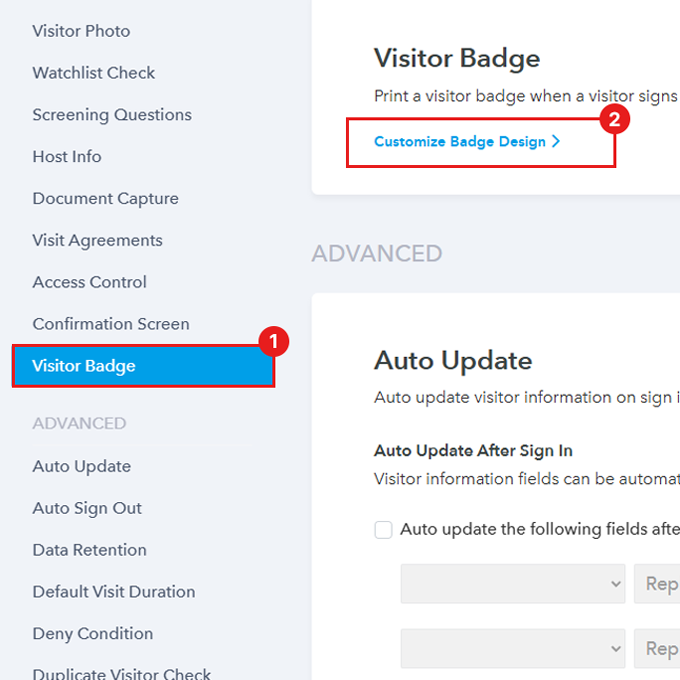
Scroll down to find visitor badge and click “Customize badge design”
-
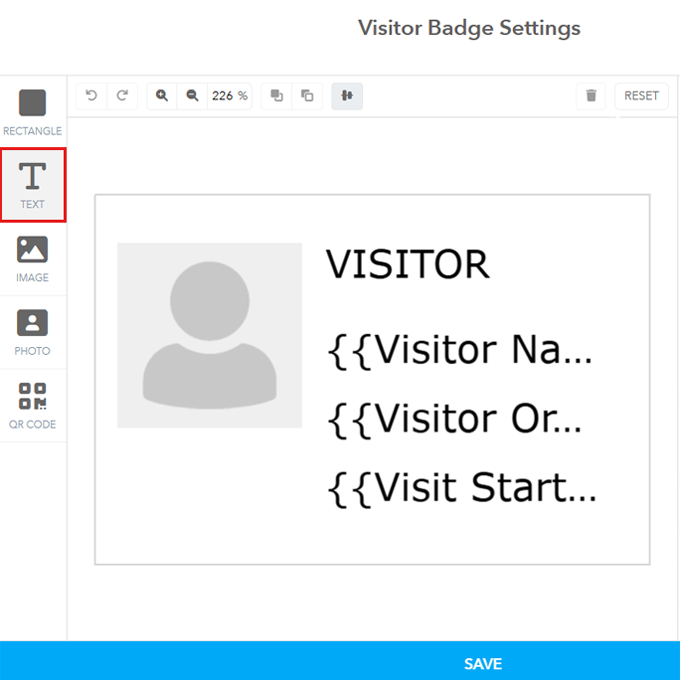
Add a text field by clicking on the Text field on the left side
-
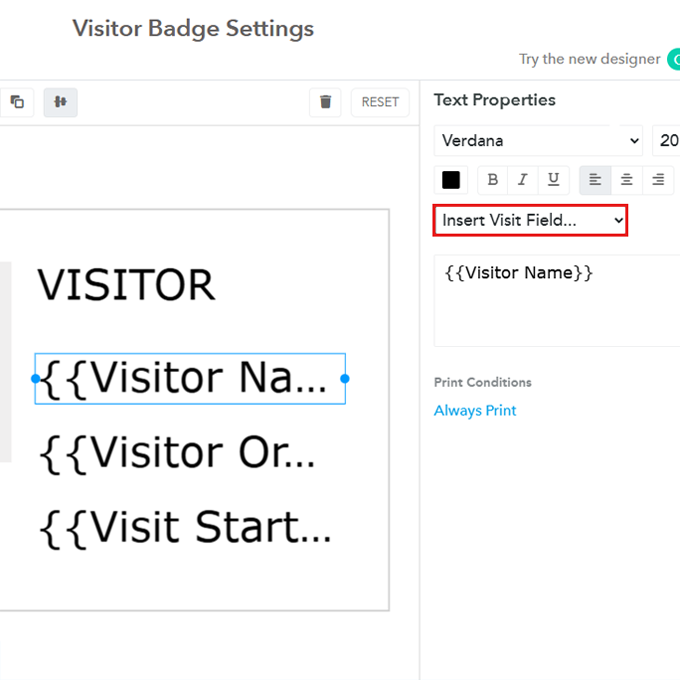
You can add text or you can select a field from the drop down menu on the right.
-
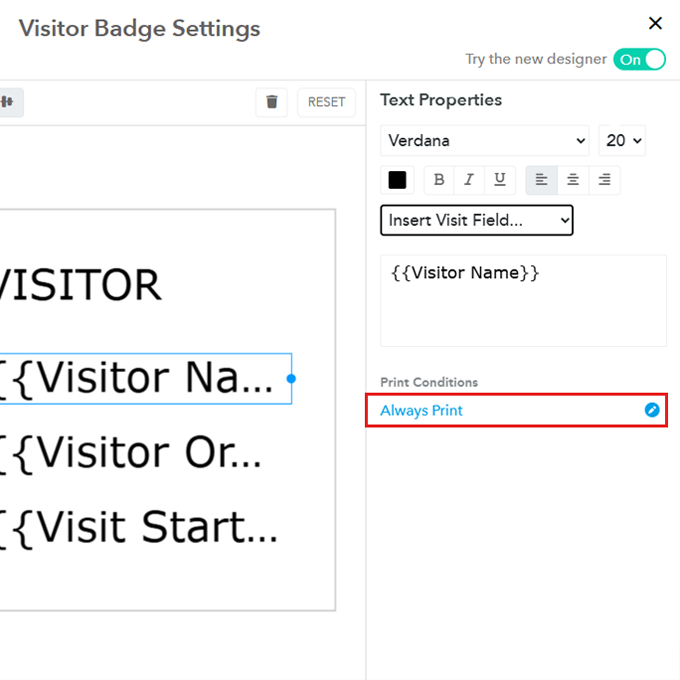
Click on “Always print” to define print condition for this element
-
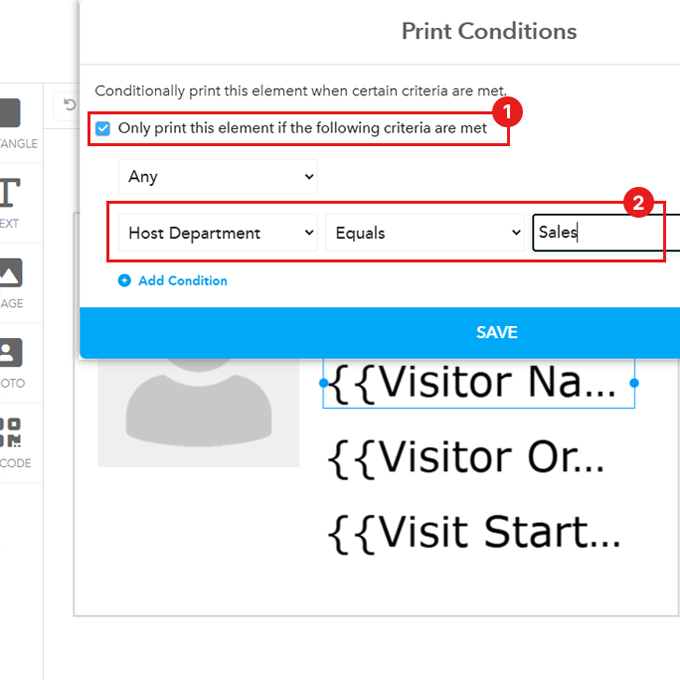
Enable this option
-
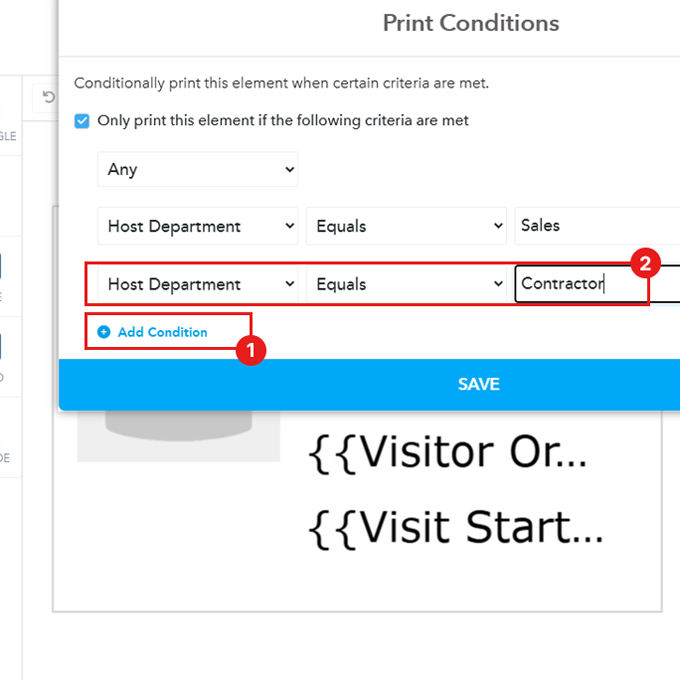
Add the condition, you can add multiple conditions by clicking on “Add condition” as well
-
Then click “Save”
Conditional Badge Printing FAQ
Practical Use Cases for Conditional Badge Elements
Conditional printing is more than just a setup option—it's a way to enhance safety, clarity, and compliance at your facility. Here are a few common scenarios where this feature solves a real-world problem:
Contractor Identification
- The Challenge: You need to instantly distinguish external workers from permanent employees or standard guests without creating separate sign-in flows.
- The Solution: Add a large, bold text element that reads "CONTRACTOR" and set the condition to print only if the 'Visitor Type' field equals "Contractor." This provides immediate visual identification for your security team.
Safety or PPE Warnings
- The Challenge: Your facility has areas that require specific safety gear, and you need to ensure the warning is visible only to those entering that area.
- The Solution: Add a text element that reads "HARD HAT & VEST REQUIRED" and set the condition to print only if the visitor's destination field equals "Warehouse" or "Loading Dock."
Host Requirements or Restrictions
- The Challenge: A visitor's host needs to know about a special restriction, such as "No Photo/Video."
- The Solution: Add a simple text icon or note to the badge and set the condition to print only if the visitor's host selected a special checkbox during the pre-registration process.